

Google and local search
How to claim your business on Yelp
Yelp shows your hours, phone number, photos and reviews to people comparing local businesses. Claiming the page is free and lets you correct those details and reply to reviews.
The whole process, at a glance
- Find your business1 of 3
- Verify it’s yours2 of 3
- Finish your page3 of 3
Before you start
The owner or a manager should do this. Have an email address you check and, if you want the phone option, access to the business phone number shown on Yelp. Claiming does not require buying ads.
Follow these steps
Search for your business
Go to biz.yelp.com/claim. Type your business name and choose it from the list. If Yelp asks Is this your business?, choose Yes, this is my business only when the name, address and phone all match. You can also start from Claim This Business on your public Yelp page.
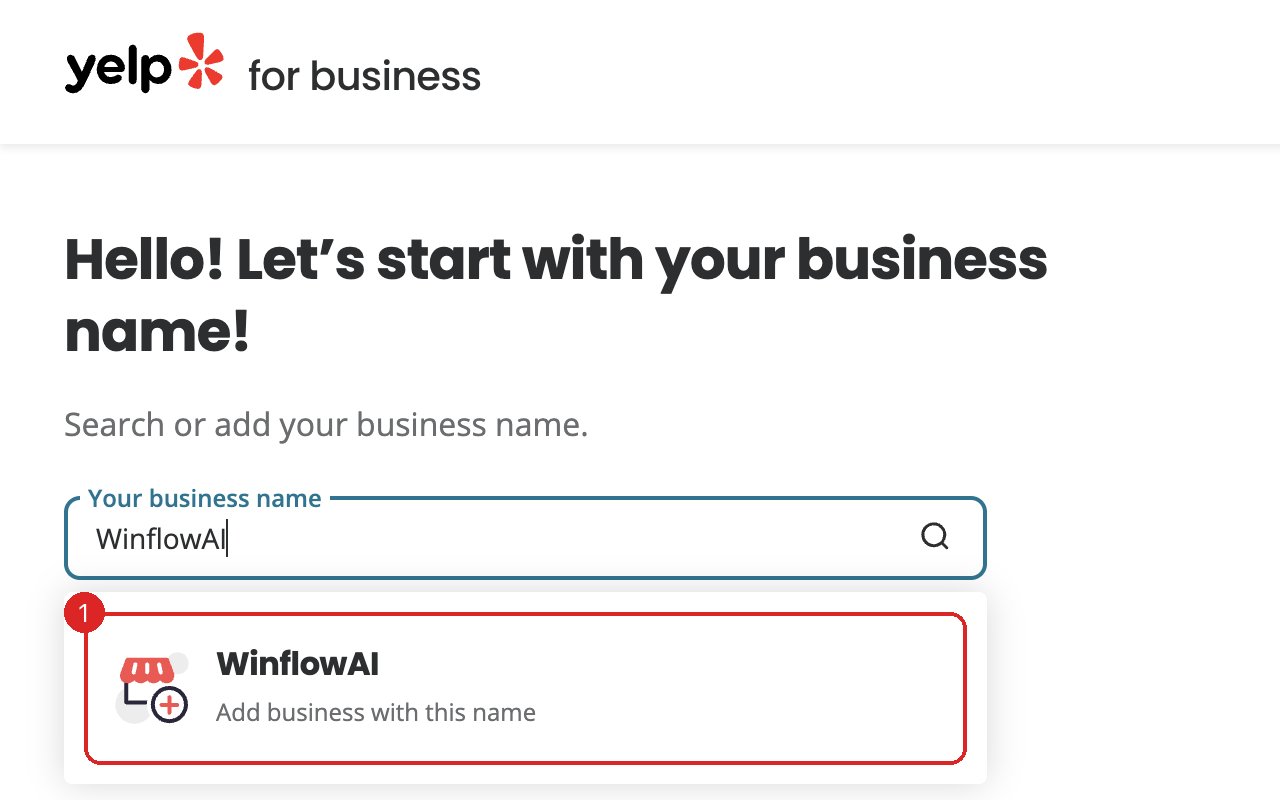
Captured November 6, 2026 in a signed-out browser, before any account was created. The business details are examples. If your business already has a page, choose it from the list instead. Select the image to enlarge. Add the business if it isn’t listed
Search yelp.com for an older name or address first. If there is no page, choose Add business with this name under the search box. Yelp then asks for your business email, phone number, website, up to three categories and your address, one screen at a time. Street address is optional, so you can leave it blank if customers don’t visit you. Yelp needs at least a website or a phone number to confirm the business is real. A moderator reviews new pages, usually within two business days, and emails you the next steps.
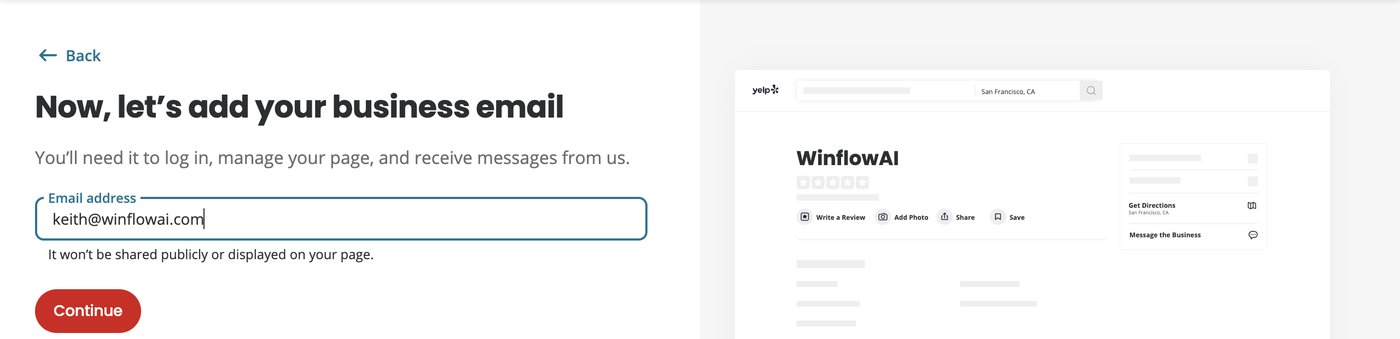
Captured November 6, 2026 in a signed-out browser, before any account was created. The business details are examples. Select the image to enlarge. 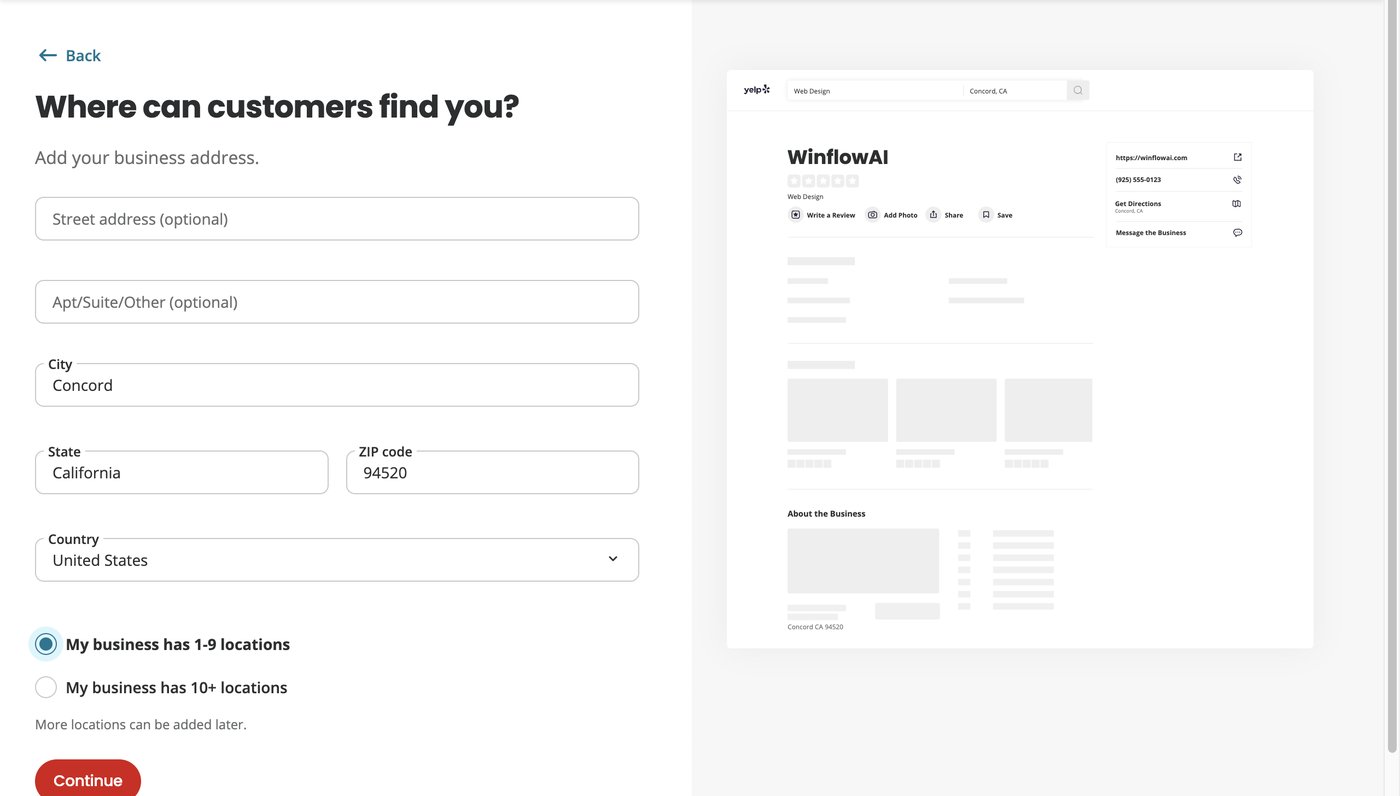
Captured November 6, 2026 in a signed-out browser, before any account was created. The business details are examples. The street address is left blank, as a business that visits customers might do. Select the image to enlarge. Create your account and verify
On Create a free account, enter your name and a password, or select Continue with Google. Use the business email you entered earlier. Choose how to get the verification code: email, text, or a call to the phone number on your Yelp page. Enter the code. If the call can’t reach you, choose email or text instead. If nothing works, Yelp offers a form to report the failed attempt to its Support team.
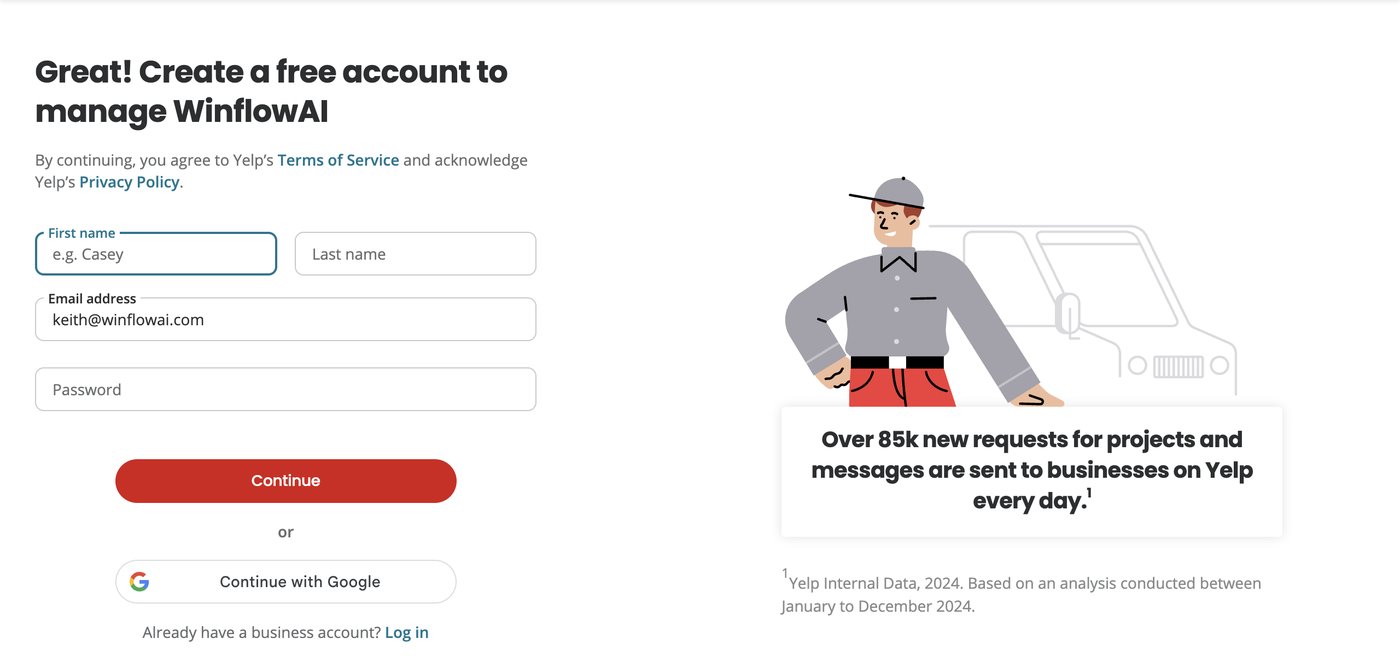
Captured November 6, 2026 in a signed-out browser, before any account was created. The business details are examples. Select the image to enlarge. Check the details customers see
Check the address, map pin, phone number, website and categories. Choose categories that match what you actually do. Add your hours and a few real photos with short captions. Fill in From the business with a plain description of your services.
Set a service area if customers don’t visit you
Open Business Information and select Edit in Basic Information. Under Service Area, answer Yes to “Do you service your customers at their location?” Add up to six cities, then select Save Changes. Service areas are only available for some categories. If your existing page shows a home address and you can’t find how to hide it, ask Yelp Support.
Share access with your agency
Invite your agency or a teammate with their own login instead of sharing your password. Everyone you add gets full access, including payment details. Our guide on sharing Yelp for Business access covers the steps.
You’re finished when…
You can sign in to Yelp for Business, the page shows your correct details, and Yelp’s messages reach an email address you check.
If you get stuck
Someone else already claimed it
If the page hasn’t been used for about 90 days, Yelp may let you claim it again from biz.yelp.com. Otherwise contact Yelp Support with the business name and city. Yelp’s business support line is (877) 767-9357.
Do I have to buy Yelp ads?
No. Claiming is free, and a claimed page doesn’t make you an advertiser. Yelp may show ads and page upgrades during sign-up. You can skip them.
Can I ask customers for reviews?
No. Yelp’s rules say not to ask anyone for reviews, including customers, friends and family, and not to offer discounts or gifts for them. You can still let people know you’re on Yelp.
There are two pages for my business
Report the duplicate from one of the pages on yelp.com and include the link to the other page. Yelp lists each location once.
The business moved or closed
On yelp.com, select Suggest an edit on your page, tick Business Closed or Moved, explain under Additional Context with a supporting link, then select Submit Changes.
Official sources and further reading
- Yelp: how to claim a business page
- Yelp: guide to claiming your page
- Yelp: create a new business page
- Yelp: service areas
- Yelp: dos and don’ts for business owners
- Yelp: report a move or closure
Reviewed November 6, 2026. Platform menus can vary by account and change over time. Examples and checklists are WinflowAI’s own guidance; follow the linked vendor instructions for your account.