Account access · Google Business Profile
Add a Google Business Profile manager
This is your business listing on Google Search and Maps. A manager can help keep it up to date while you remain the owner.
The whole process, at a glance
- Open your business listing 1 of 3
- Invite a manager 2 of 3
- They accept the invitation 3 of 3
No profile yet? Follow our Google Business Profile setup guide first.
Before you start
Sign in with the Google Account that owns the profile. Have your agency’s Google Account email ready; use the address in your access request.
Follow these steps
-
Find the right business
On Google Search, search your business name and city, or my business. Select the correct location if you manage more than one.
Your business name + city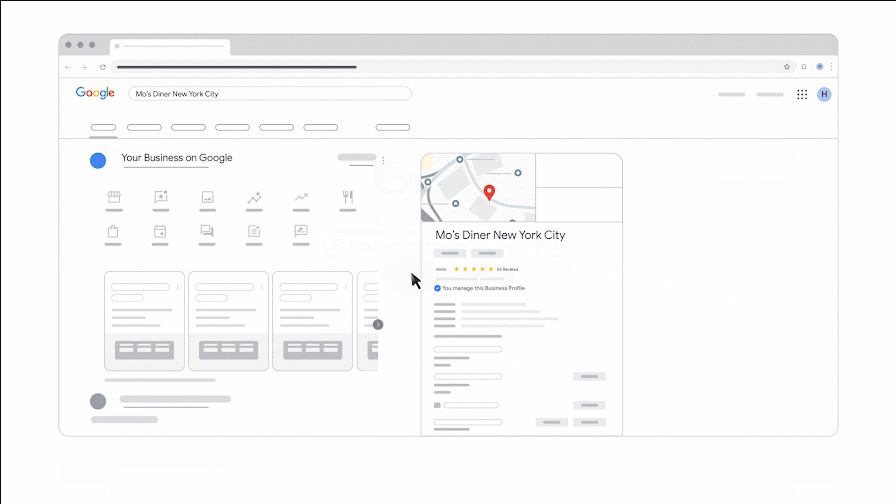
Google’s illustrated example of the profile controls in Search. Captured from its official walkthrough; this is an example, not a screenshot of your account. Source: Google Business Profile Help. Select the image to enlarge. -
Open the people settings
In the profile’s management controls, select More (⋮) → Business Profile settings → People and access.
More → Business Profile settings → People and access -
Invite your manager
Select Add, enter the agency’s invitation email, choose Manager under Access, then select Invite.
Add → Email → Manager → Invite -
Check that they joined
The invitation appears in People and access. After the recipient accepts, Google emails you. Ask your agency to confirm it can open the correct profile.
Pending invitation → manager added
You’re finished when…
Your agency appears as a Manager and has confirmed the correct business location. Keep your own owner access.
If you get stuck
I cannot find the management controls
Check the Google account shown by your profile picture. The public listing can appear even when you are signed in to a different account. Switch to the account associated with the business, then search again.
I cannot add someone
Only owners can manage other users. Ask the existing owner to send the invitation. If ownership is lost or belongs to someone else, use Google’s ownership-request process below rather than creating another listing.
What can a Manager do?
Managers can edit business information, publish posts, and reply to reviews. They cannot add or remove users or remove the profile.
How do I remove access later?
Open People and access, choose the person, then Remove person. Their past work, such as review replies, stays on the profile.
Official instructions
- Google: owners, managers, and invitations
- Google: find your business profile
- Google: request ownership of an existing profile
Checked against these documents on September 6, 2026. Menus can vary by account and change over time. If your screen differs, use the official guide or ask us before choosing broader access.
Sharing another account?


Working with WinflowAI? Reply to your project email if you need help with a step.