

Google and local search
BBB business profile: how to claim or add yours
A BBB business profile is the free listing the Better Business Bureau publishes for a business, whether or not it pays for accreditation. Claiming it lets you keep your contact details and services current.
The whole process, at a glance
Before you start
The owner or a manager should do this. BBB asks for the main contact’s name, the business name, street address, phone, email and website, and up to three types of business. Your local BBB reviews every request, so use details that match your other listings exactly.
Follow these steps
Search for your business
Go to bbb.org/get-listed. Type your business name in Find and your city in Near, then click Search. BBB lists any matching profiles so you don’t create a duplicate.

Captured November 22, 2026 in a signed-out browser, before any account was created. The business details are examples. Click the image to enlarge. Claim your existing profile
Click Select next to your business. On Request access to a business, fill in the contact and business details. In Type of business, start typing and click a suggestion. You can pick up to three. Click Request Access.
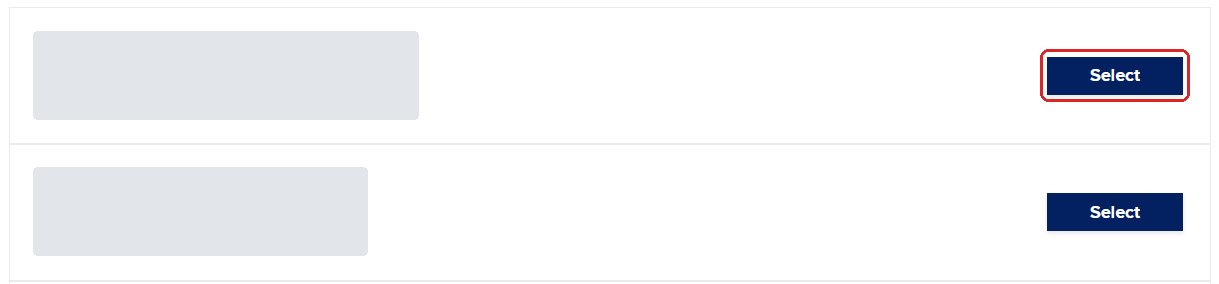
Captured November 22, 2026 in a signed-out browser, before any account was created. The business details are examples. The real businesses in the results are covered. Click the image to enlarge. 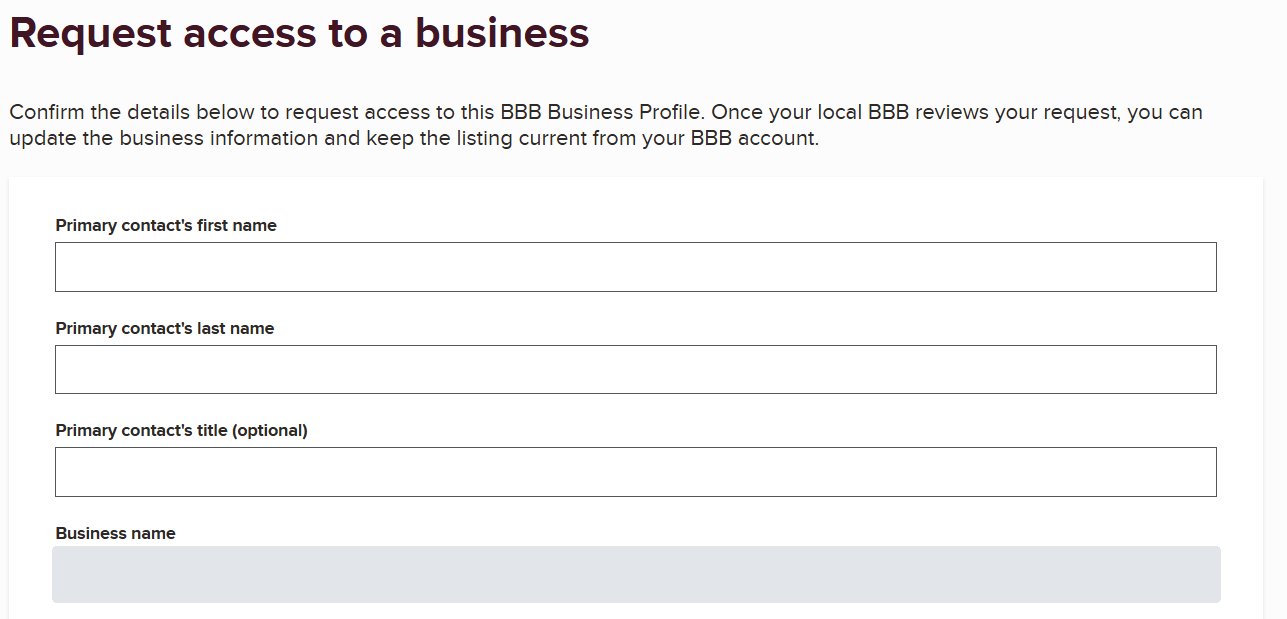
Captured November 22, 2026 in a signed-out browser, before any account was created. The business details are examples. The prefilled business name is covered, because it belongs to a real business picked for this capture. Click the image to enlarge. 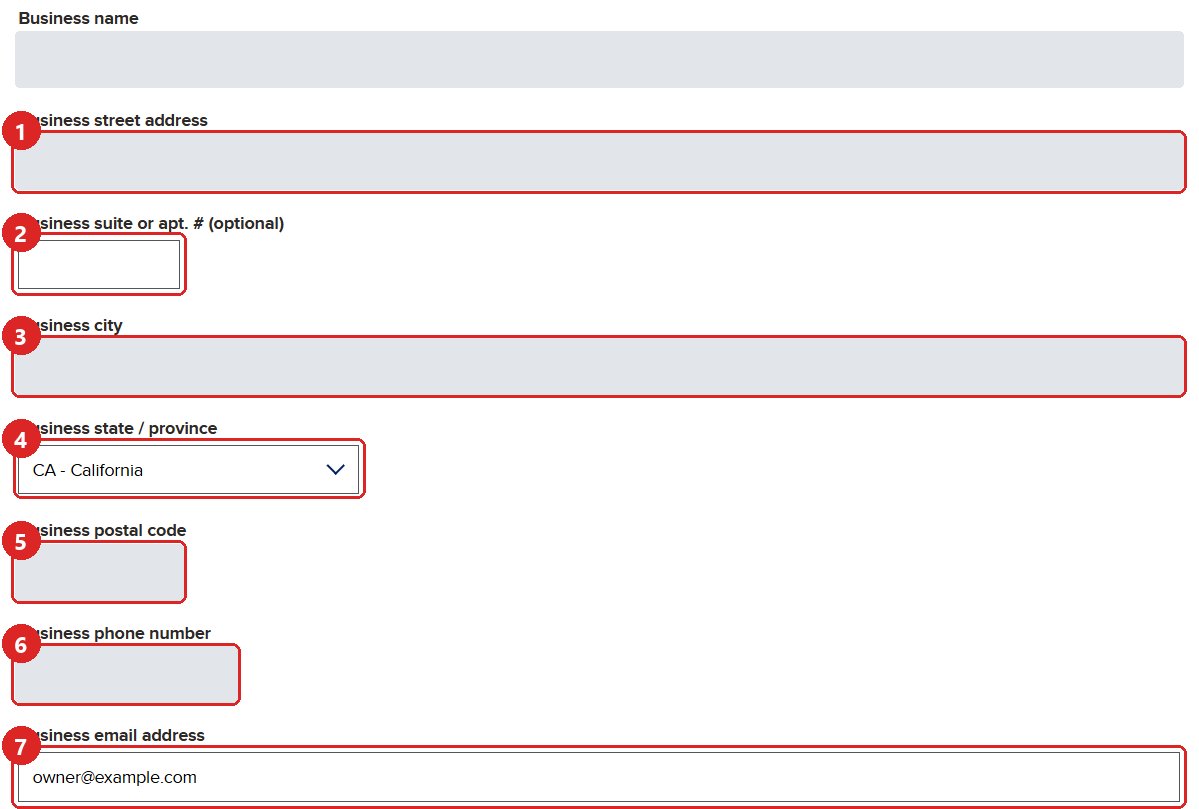
Captured November 22, 2026 in a signed-out browser, before any account was created. The business details are examples. The details prefilled from the real listing are covered. Click the image to enlarge. 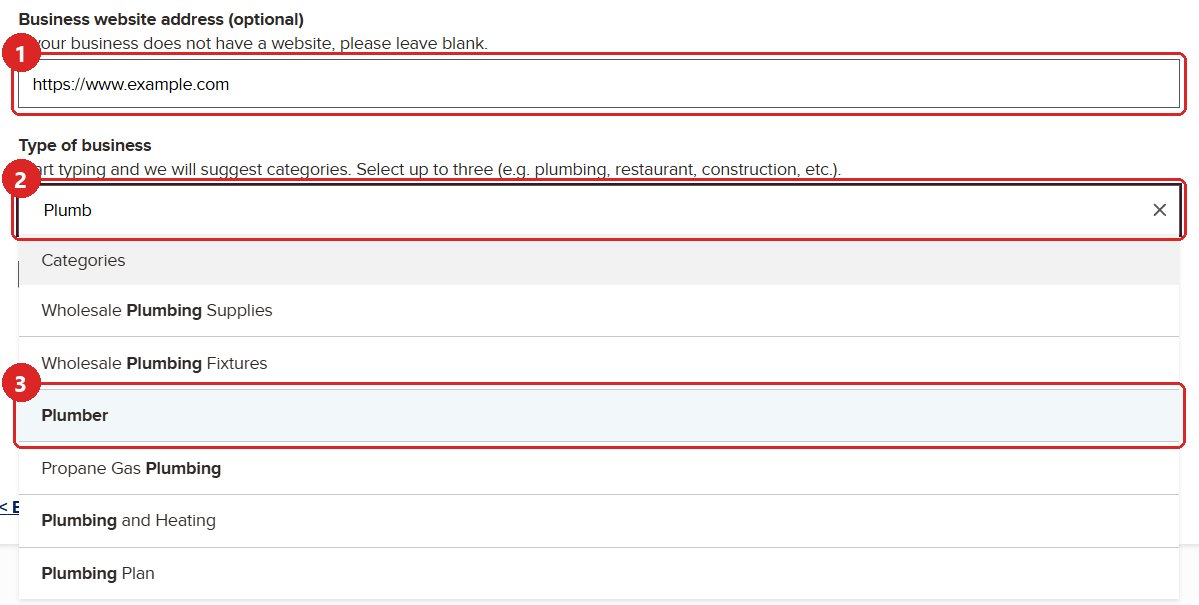
Captured November 22, 2026 in a signed-out browser, before any account was created. The business details are examples. Click the image to enlarge. 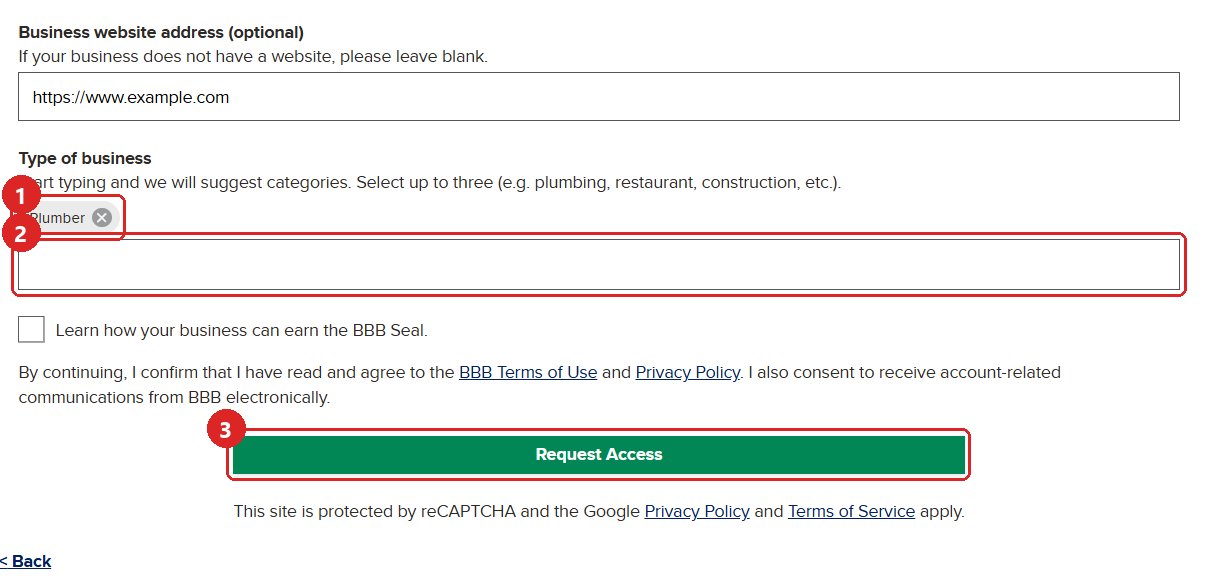
Captured November 22, 2026 in a signed-out browser, before any account was created. The business details are examples. Request Access was not clicked. Click the image to enlarge. Add your business if it isn’t listed
Click Add It Now next to “Don’t see your business listed?” at the top of the results. Click I own a business and I want to claim my free BBB Business Profile page. Fill in the same details on Create Your Free Business Profile and click Create Profile.

Captured November 22, 2026 in a signed-out browser, before any account was created. The business details are examples. Click the image to enlarge. 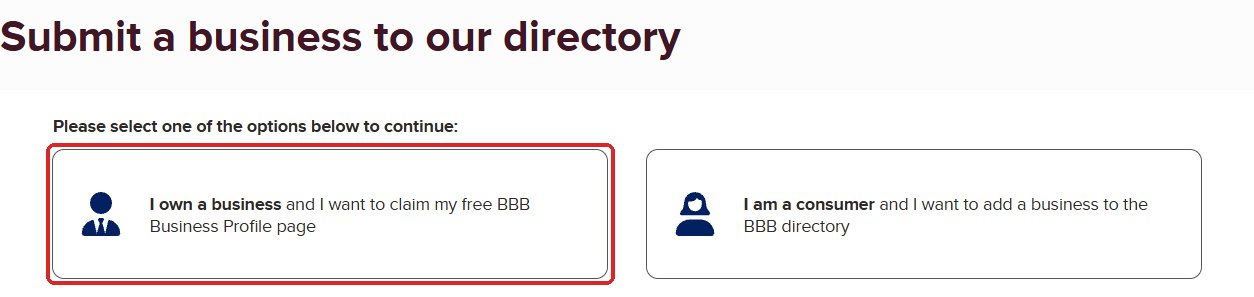
Captured November 22, 2026 in a signed-out browser, before any account was created. The business details are examples. Click the image to enlarge. 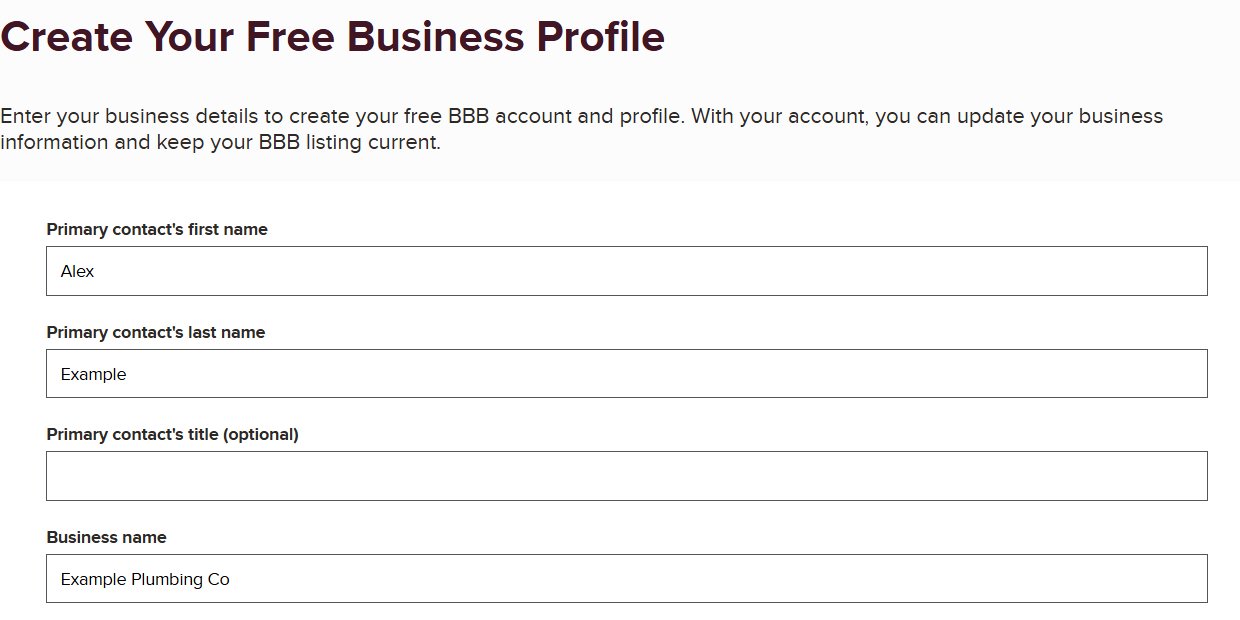
Captured November 22, 2026 in a signed-out browser, before any account was created. The business details are examples. Click the image to enlarge. 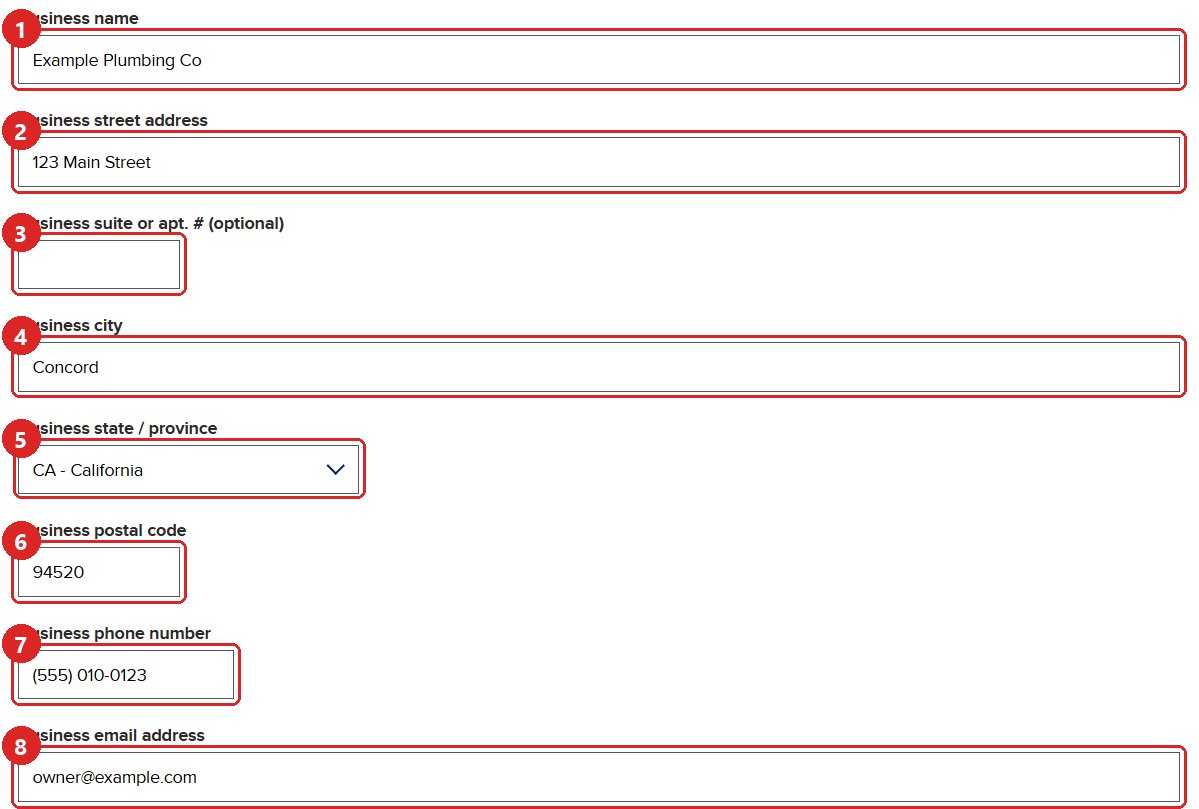
Captured November 22, 2026 in a signed-out browser, before any account was created. The business details are examples. Click the image to enlarge. 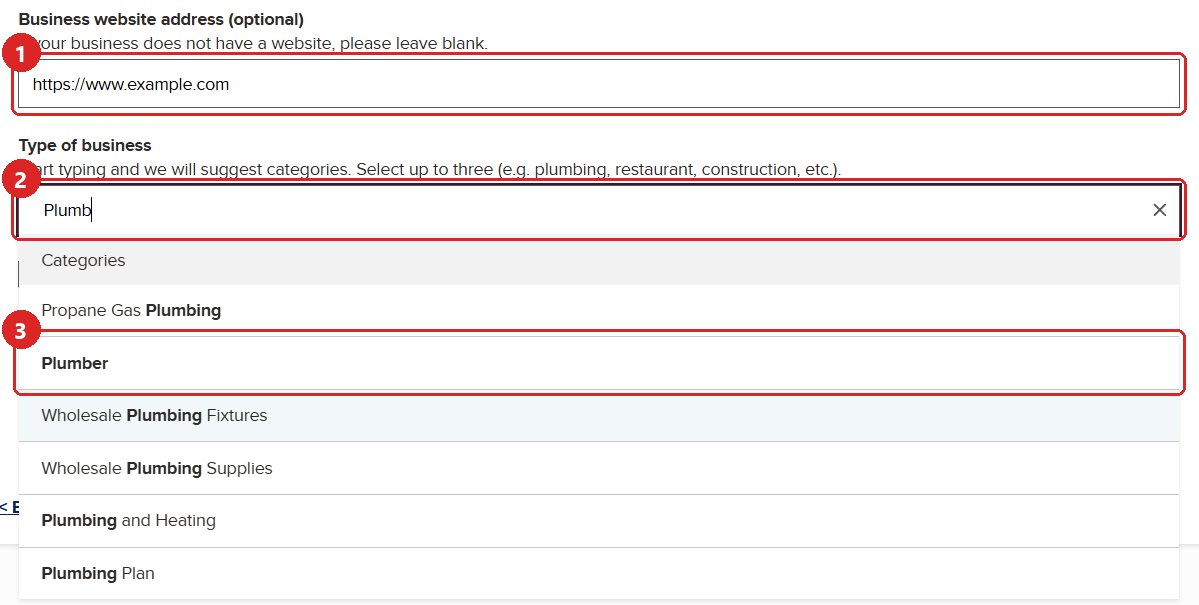
Captured November 22, 2026 in a signed-out browser, before any account was created. The business details are examples. Click the image to enlarge. 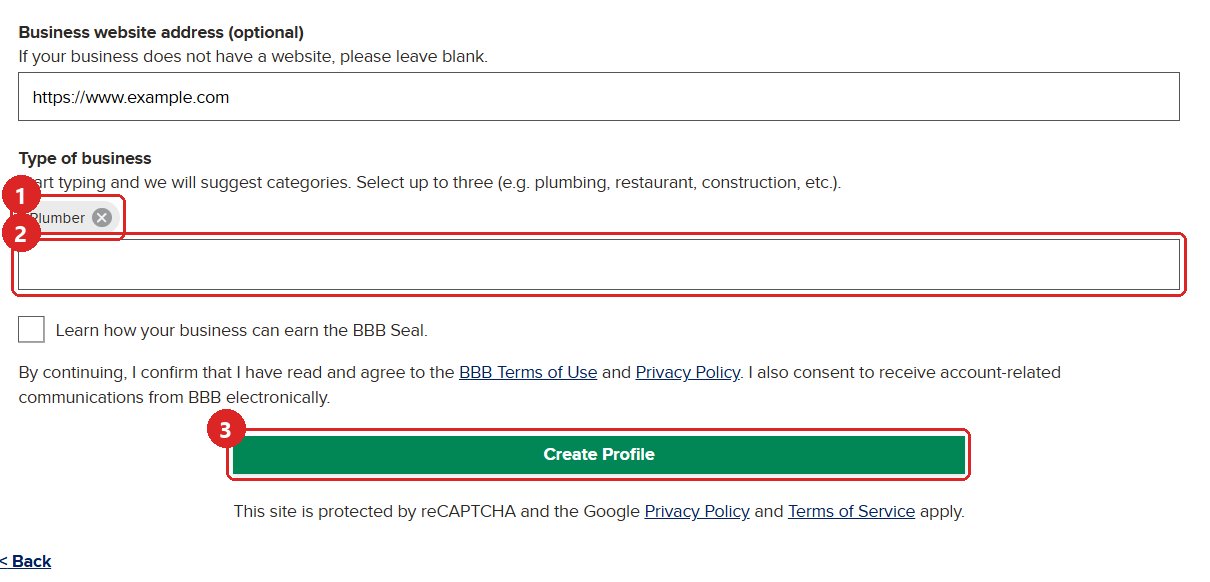
Captured November 22, 2026 in a signed-out browser, before any account was created. The business details are examples. Create Profile was not clicked. Click the image to enlarge. Wait for your local BBB
Your local BBB reviews the request before you can edit the profile. BBB doesn’t publish how long that takes. Watch the email address you entered, and contact your local BBB if you hear nothing.
Sign in and complete the profile
Click Sign in in the top right of bbb.org. In the Access Your BBB Account box, click the green Sign In button, then sign in to your BBB Business Portal. BBB suggests adding your logo, website, email, services, hours and service area, then photos and your refund and customer service policies. What you can edit can depend on your local BBB.

Captured November 22, 2026 in a signed-out browser. Nothing was typed. Click the image to enlarge. 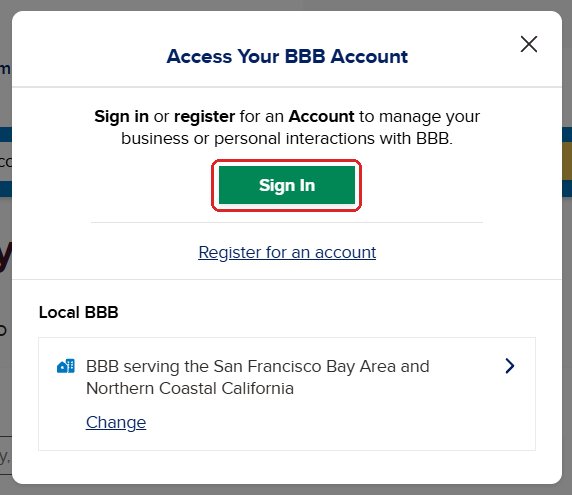
Captured November 22, 2026 in a signed-out browser. Nothing was typed. Click the image to enlarge. 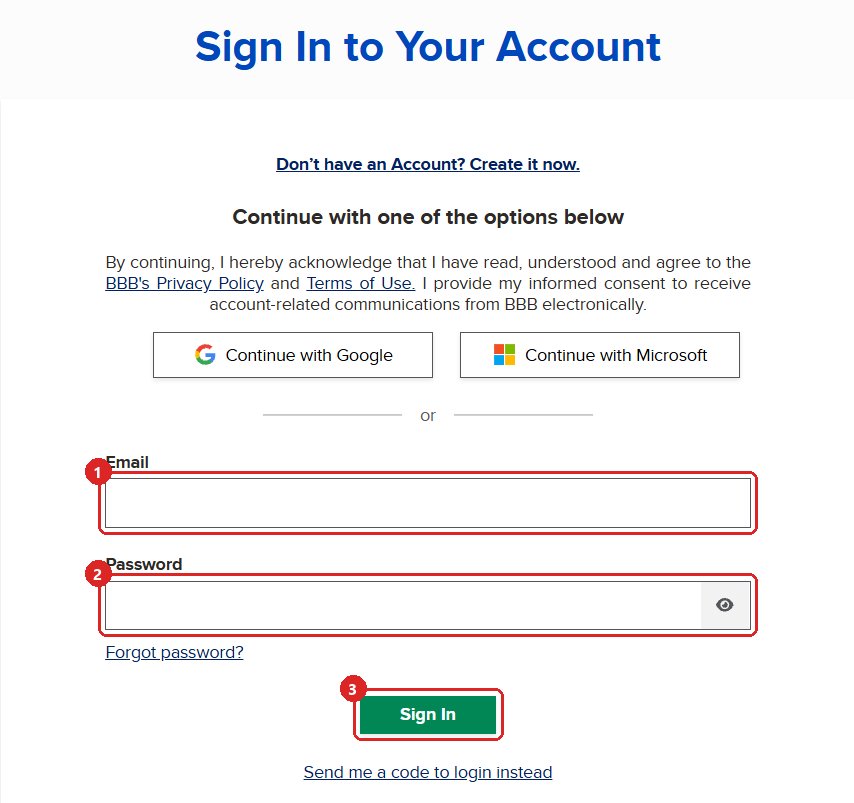
Captured November 22, 2026 in a signed-out browser. Nothing was typed. Click the image to enlarge. Decide on accreditation later
Accreditation is optional and paid. A free profile still shows your details and a BBB rating. If you want the BBB seal, BBB invites businesses that meet its standards to apply at bbb.org/apply. The page opens straight into a 3-step form that starts with your contact details. Your local BBB sets the yearly dues.
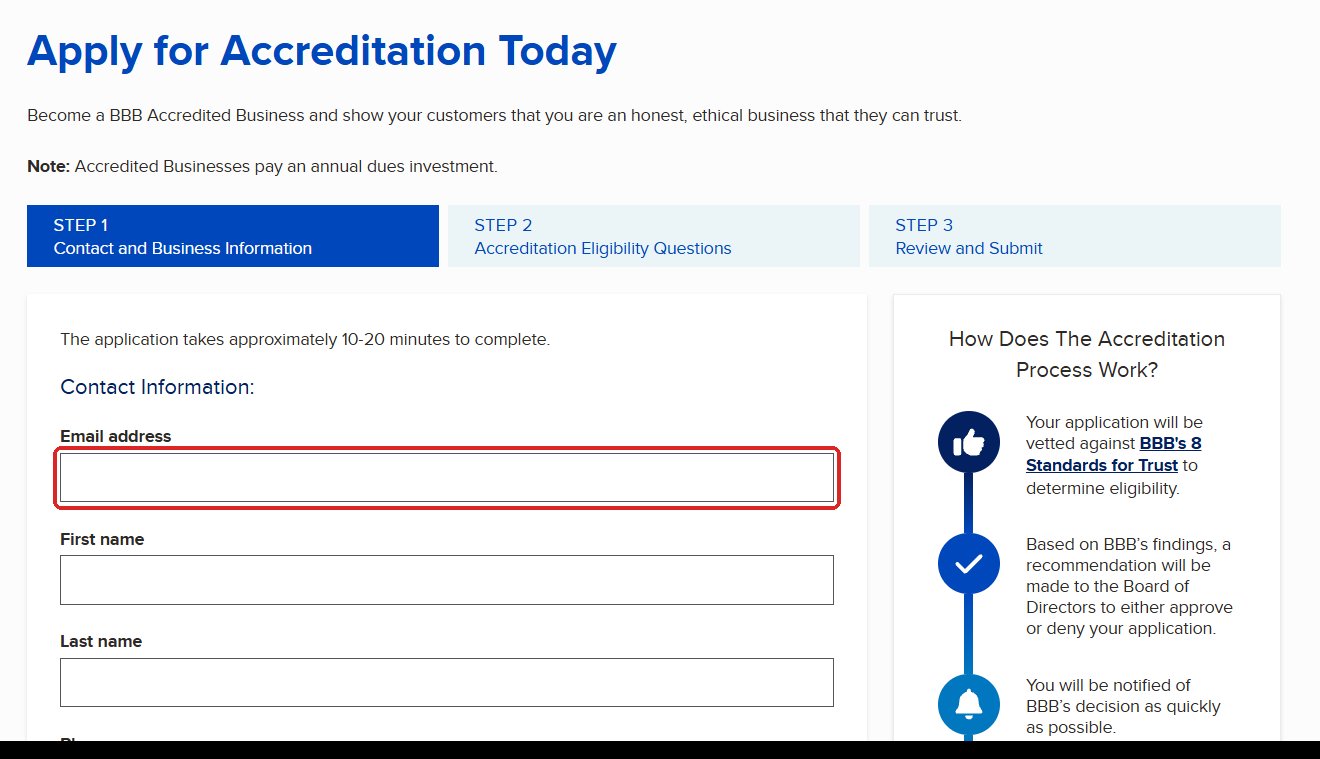
Captured November 22, 2026 in a signed-out browser. Nothing was typed. Click the image to enlarge. 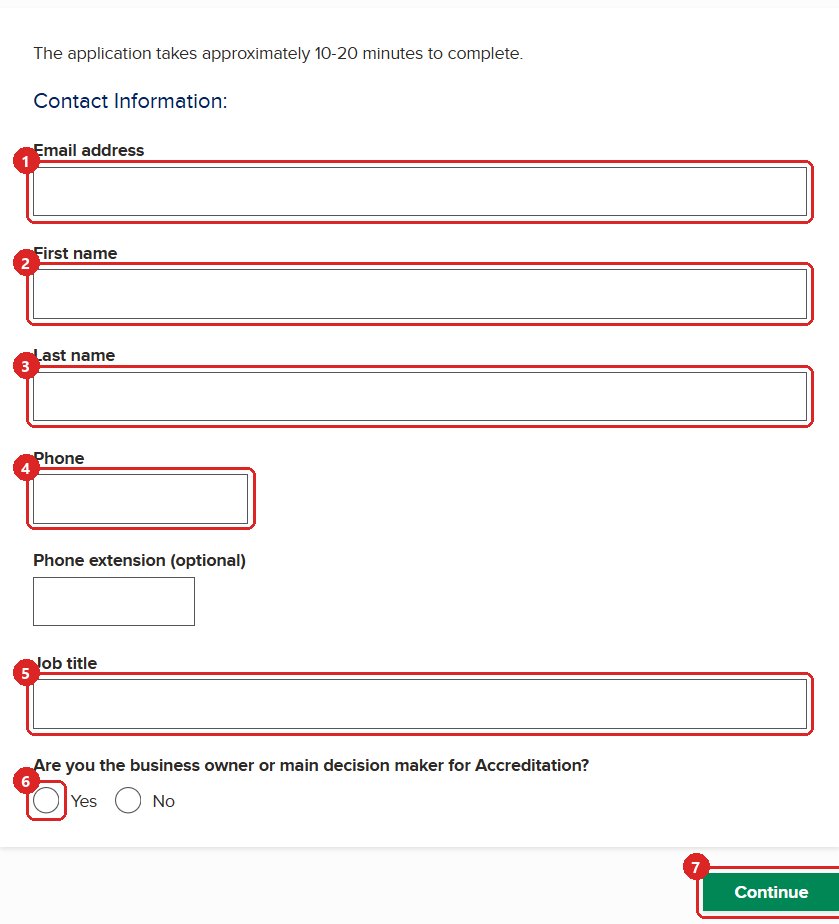
Captured November 22, 2026 in a signed-out browser. Nothing was typed. Continue was not clicked. Click the image to enlarge.
You’re finished when…
Searching your business name on bbb.org shows your profile with the correct details, and you can sign in to your BBB Business Portal.
If you get stuck
Do I have to pay?
No. The BBB business profile is free. Only accreditation costs money, and BBB doesn’t publish a price because each local BBB sets its own dues.
My details are wrong and I can’t edit them
Use BBB’s Update Your Business Information form, which isn’t an accreditation application. Or find your local BBB and ask them.
Can I hide my home address?
BBB’s pages don’t say. Some BBB profiles show only a city, state and ZIP code, so it is possible for some businesses. Ask your local BBB before you submit a home address.
How do ratings and complaints work?
Ratings run from A+ to F. They’re based on complaint history, how you respond, transparency, licensing and any government actions. Customer reviews don’t change the rating. BBB forwards complaints to you, and they become part of your public profile.
Does a free profile say I’m not accredited?
Yes. BBB publishes profiles for accredited and non-accredited businesses alike, and each profile shows whether the business is accredited.
Official sources and further reading
- BBB: submit a business to our directory
- BBB: frequently asked questions
- BBB: setting up your business profile
- BBB: get accredited
- BBB: accreditation standards
- BBB: find your local BBB
Reviewed November 22, 2026. Platform menus can vary by account and change over time. Examples and checklists are WinflowAI’s own guidance; follow the linked vendor instructions for your account.
Find these guides useful? Add WinflowAI as a preferred source and our guides show up first for you on Google.
Tell us what's going on
A few lines about what's bugging you is plenty. We'll reply within one business day with what we'd do about it.
Rather hand it off? Our local SEO services cover your Google Business Profile, listings and on-page SEO.