Google and local search
How to check your business details online
A customer should not need to guess which phone number or opening time is right. Make one accurate list of your business facts, then compare the places customers use.
The whole process, at a glance
- Agree the true details1 of 3
- Compare public profiles2 of 3
- Fix and verify3 of 3
Before you start
The owner or operations lead should confirm the facts. Have access to the website, Google Business Profile, and the social profiles you actually maintain. Keep private addresses private.
A practical example
| Place | What to inspect |
|---|---|
| Website | Header, footer, contact page, and service pages |
| Name, hours, phone, website, location settings | |
| Social profiles | About details, bio links, and contact buttons |
| Pending fixes | Exact URL, wrong detail, owner, and recheck date |
Follow these steps
Write the reference details
Record the real public business name, phone number, website URL, hours, inquiry email, and service areas. Include the street address only if customers should visit it. Note holiday closures and any location-specific phone numbers. This reference list is your working source of truth.
Check the website carefully
Look at the header, footer, contact page, service pages, and booking links. Click the phone number on mobile and check the number it opens. Read the area code as well as the last digits. Test email links and the contact form. A correct homepage can coexist with an outdated footer or service page.
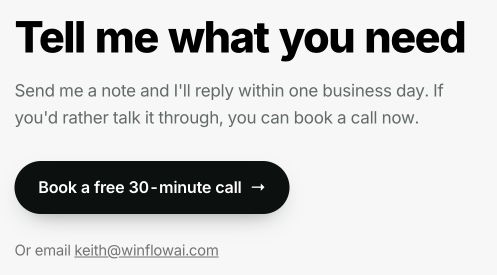
Check both ways to make contact: the booking button and email link should lead to the intended destinations. This is WinflowAI’s own public contact information in the local preview. Select the image to enlarge. Compare Google and active social profiles
Open the public Google listing, Facebook Page, LinkedIn company page, Instagram bio, and any relevant industry directory you maintain. Record the visible details and the exact page URL. Click each website link to confirm it reaches the intended live website rather than an old domain or an error page.

The footer is another place to check business details and destinations. Follow each social link and confirm it reaches the correct public profile. WinflowAI’s local website, September 6, 2026. Select the image to enlarge. Correct the places that disagree
Use your owned accounts or ask the current administrator to edit the profile. Correct inaccurate information without adding promotional keywords to the business name. A hidden home address should remain hidden on Google for a service-area business that does not receive customers there. Accurate information matters more than forcing identical punctuation everywhere.
Recheck the public result
After saving, view the public profile again. Some updates are reviewed before appearing. Keep a short list of pending changes, duplicate listings that need investigation, and profiles where access is missing. Check Google-generated updates too; do not assume every suggested change is right.
You’re finished when…
Customers see the correct details on the places you maintain, and every remaining mismatch has a clear next action.
If you get stuck
Should my home address appear everywhere?
No. If customers do not visit your address, do not publish it just for consistency. Follow the platform’s service-area rules.
We have several locations
Give each location its accurate details and appropriate page link. A single copied phone number or schedule may be wrong for another branch.
Do I need hundreds of directory listings?
Start with the places customers use and the profiles you control. This checklist is an accuracy exercise, not a promise that more listings will improve rankings.
Official sources and further reading
- Google: represent your business accurately
- Google: service-area address rules
- Google: edit a Business Profile
Reviewed September 6, 2026. Platform menus can vary by account and change over time. Examples and checklists are WinflowAI’s own guidance; follow the linked vendor instructions for your account.
Useful next guides

Need help with your website or inquiry workflow? See how WinflowAI can help.