

Google and local search
Data Axle business listing: how to claim and update it
Your Data Axle business listing is the record Data Axle keeps about your business and shares with its partners. Data Axle says those partners include search engines, online directories, navigation apps and virtual assistants.
The whole process, at a glance
Before you start
The owner or a manager should do this. Data Axle checks ownership by calling the phone number on the listing, so do it when you can answer that phone. Have the exact business name, address, phone, website and hours ready, matching your other listings.
Follow these steps
Open Local Listings
Go to local-listings.data-axle.com/search. You can also start from Data Axle’s Local Listings page and click Claim your business at the right of the dark bar under the main banner. The page opens with “First let’s find your business:”.
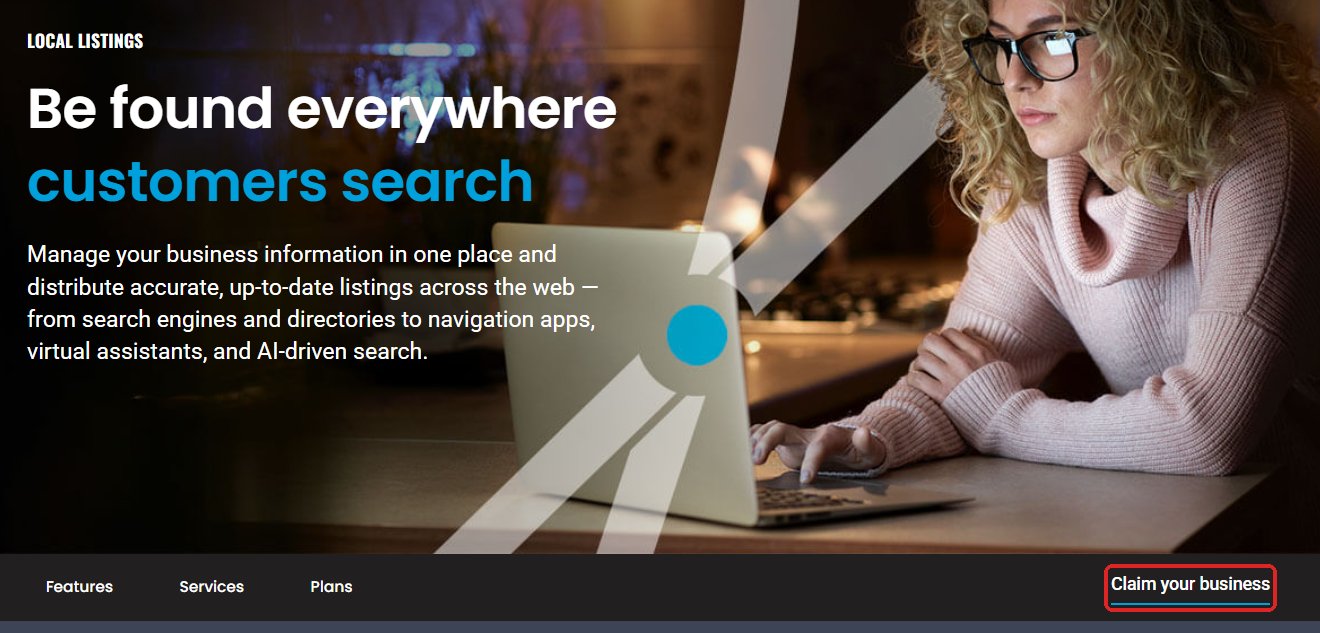
Captured November 22, 2026 in a signed-out browser. Nothing was typed. Click the image to enlarge. 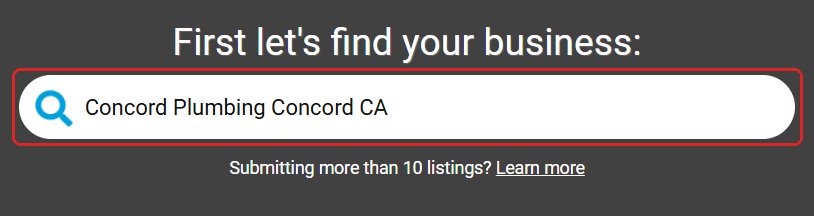
Captured November 22, 2026 in a signed-out browser, before any account was created. The business details are examples. Click the image to enlarge. Search for your business
Type your business phone number, name or address into the search box. Data Axle lists matching businesses with their address and phone. Click Claim Now on yours.
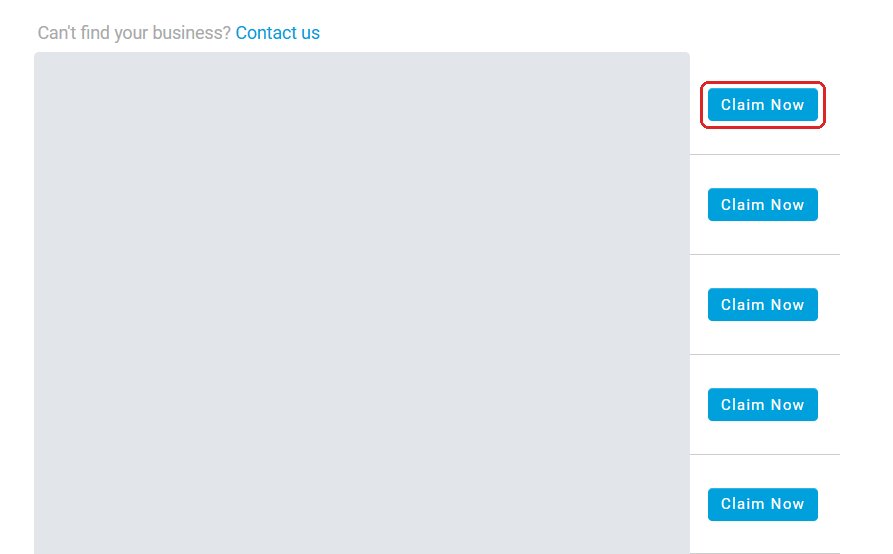
Captured November 22, 2026 in a signed-out browser, before any account was created. The business details are examples. The businesses in the list are covered. Click the image to enlarge. Verify with a phone call
Data Axle shows the phone number on the listing and asks Is this the correct number? Click Yes, call me now and answer the call. If the number is wrong or you can’t take calls on it, click Email Us instead.
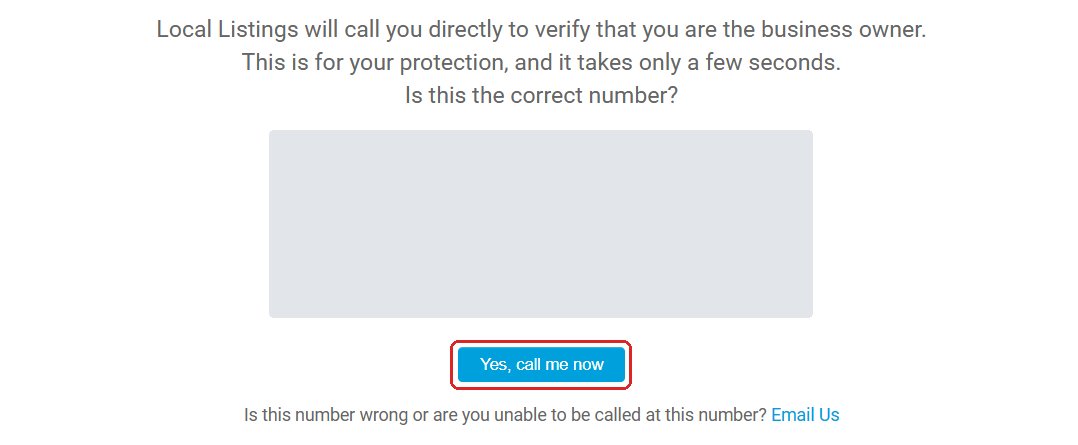
Captured November 22, 2026 in a signed-out browser, before any account was created. The business details are examples. The listing’s phone number is covered, and the call was not requested. Click the image to enlarge. Check every detail
After the call, check the name, address, phone, website and hours, and fix anything that is wrong. Data Axle then sends the corrected details to its partners automatically.
Ask Data Axle to add a missing business
There is no add button in the search. If the search shows other businesses but not yours, click Contact us next to “Can’t find your business?” above the results. If it finds no match at all, click Email us, or call (888) 274-5478 from 8:30 a.m. to 5:30 p.m. Eastern.

Captured November 22, 2026 in a signed-out browser, before any account was created. The business details are examples. Click the image to enlarge. Update it when anything changes
Click Login at the top right of local-listings.data-axle.com to open the data axle platform sign-in page, then change the listing. Edits are free and unlimited, so update it as soon as your phone, hours or address change.
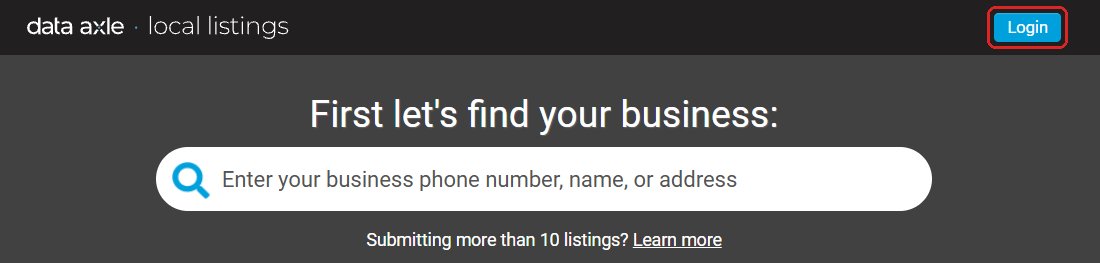
Captured November 22, 2026 in a signed-out browser. Nothing was typed. Click the image to enlarge. 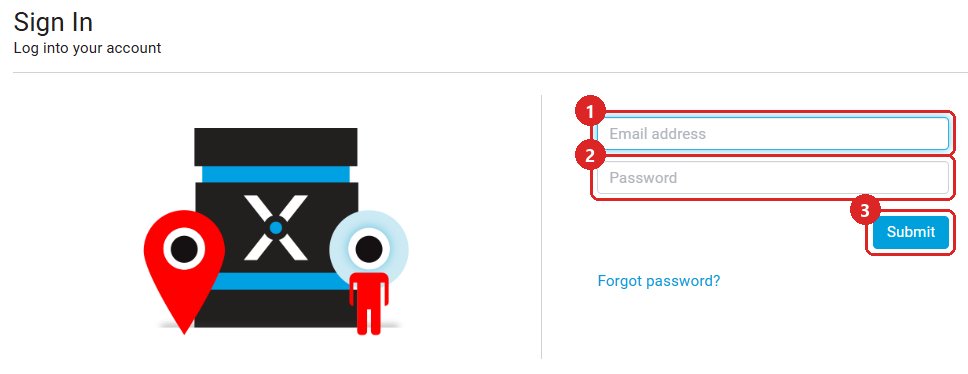
Captured November 22, 2026 in a signed-out browser. Nothing was typed. Click the image to enlarge.
You’re finished when…
Your listing on local-listings.data-axle.com shows your correct name, address, phone, website and hours.
If you get stuck
Is it free?
Yes, for 1 to 10 locations, with unlimited edits. Businesses with more than 10 locations use Data Axle’s paid Enterprise plan.
How long until other sites show the change?
Data Axle updates its own listing right away but doesn’t say when partner sites pick it up. Give it time, and recheck your main listings after a few weeks.
Other sites still show the wrong details
Fix the Data Axle listing first. Then correct any site that still shows the old details on that site directly, starting with your Google Business Profile.
The business moved or closed
Sign in and update the address. To report a closure, email the Local Listings team from the Contact us link or call (888) 274-5478, 8:30 a.m. to 5:30 p.m. Eastern.
Can I hide my home address?
Data Axle’s pages don’t say. Ask the Local Listings team before you claim a listing at a home address.
Official sources and further reading
- Data Axle: Local Listings
- Data Axle: local listings management and distribution
- Data Axle: why local listings
- Data Axle: find your business
- Data Axle: Local Listings sign in
- Data Axle: contact us
Reviewed November 22, 2026. Platform menus can vary by account and change over time. Examples and checklists are WinflowAI’s own guidance; follow the linked vendor instructions for your account.
Find these guides useful? Add WinflowAI as a preferred source and our guides show up first for you on Google.
Tell us what's going on
A few lines about what's bugging you is plenty. We'll reply within one business day with what we'd do about it.
Rather hand it off? Our local SEO services cover your Google Business Profile, listings and on-page SEO.